This month's platform updates remove the small frictions that slow down your development—from endless sidebar scrolling to debugging blind spots on Windows. Here's what's new.
Custom sidebar layouts for faster navigation
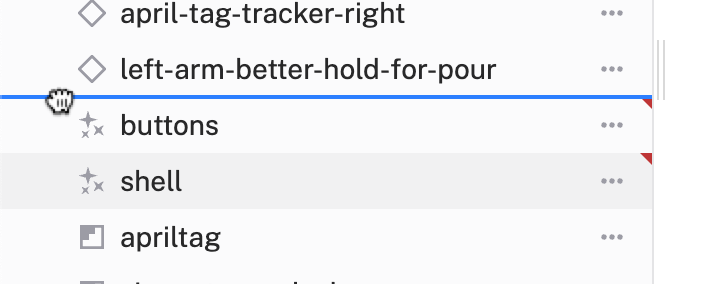
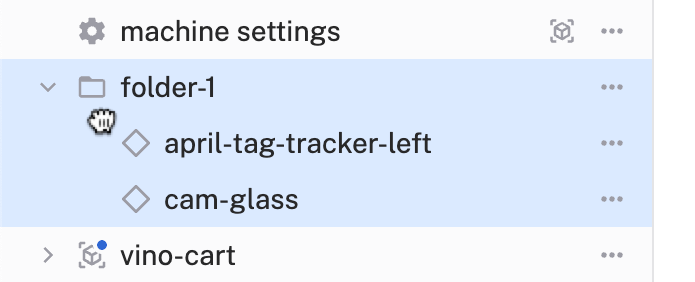
No more scrolling through sidebar menus to find what you need: grab the drag handle and move resources up, down, or into folders. The main builder cards automatically update to match your custom organization. Currently works for reordering within the same resource type (components with components, services with services).
Organize and customize your machine builder sidebar with drag-and-drop reordering for cleaner navigation on Viam.
Preview captured images without leaving config
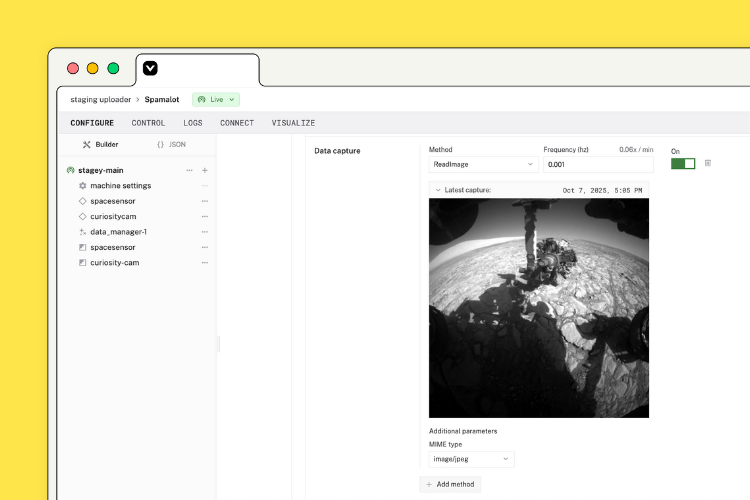
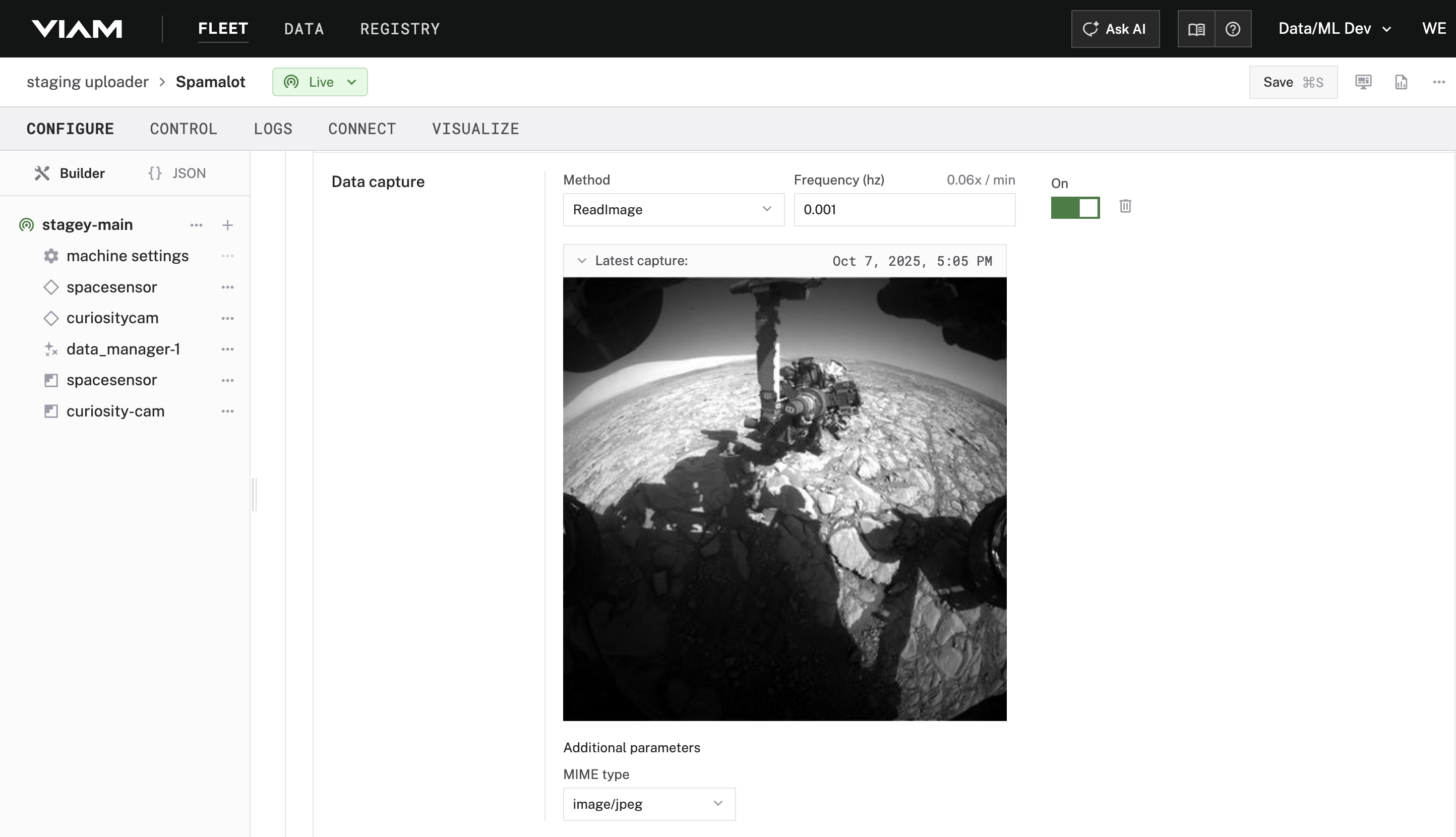
For any image-capturing component with data capture configured, you can now expand a "Latest capture: {timestamp}" button right on the config page to view the captured image. Watch your capture timestamps update in real time, and preview the images being collected, all without leaving the config page.
Viam's machine configuration page shows a recently captured image, plus the capture method (ReadImage) and frequency settings.
Viam wants its platform to power a new wave of robotics and automation using some of the same innovations driving GenAI.
Full time data capture (FTDC) on Windows for performance diagnostics
Windows machines can now generate FTDC stats, bringing the same powerful diagnostics that Linux users have enjoyed to the Windows platform. Monitor viam-server metrics like API call counts and individual resource states, plus system and process metrics, all essential for troubleshooting performance issues and understanding your robot's behavior.
Debug FTDC machine metrics without the RDK
The new viam parse-ftdc command brings FTDC data analysis directly to your terminal. Download diagnostic data from your machines and open an interactive REPL to inspect metrics, debug issues, and analyze performance without installing the full RDK. Download FTDC data with viam machines part get-ftdc, then parse and explore it locally.
Small improvements, big impact on your daily workflow. Questions or feedback? Let us know on Discord what friction points we should tackle next.
Find us at our next event
Error! No upcoming events found. Please check back later!